 NURL registrynurl-lang.org →
owner @Hindurable
repository https://github.com/nurl-lang/nurl-lang
[dependencies]
yoloe-demo = "^0.3.7"
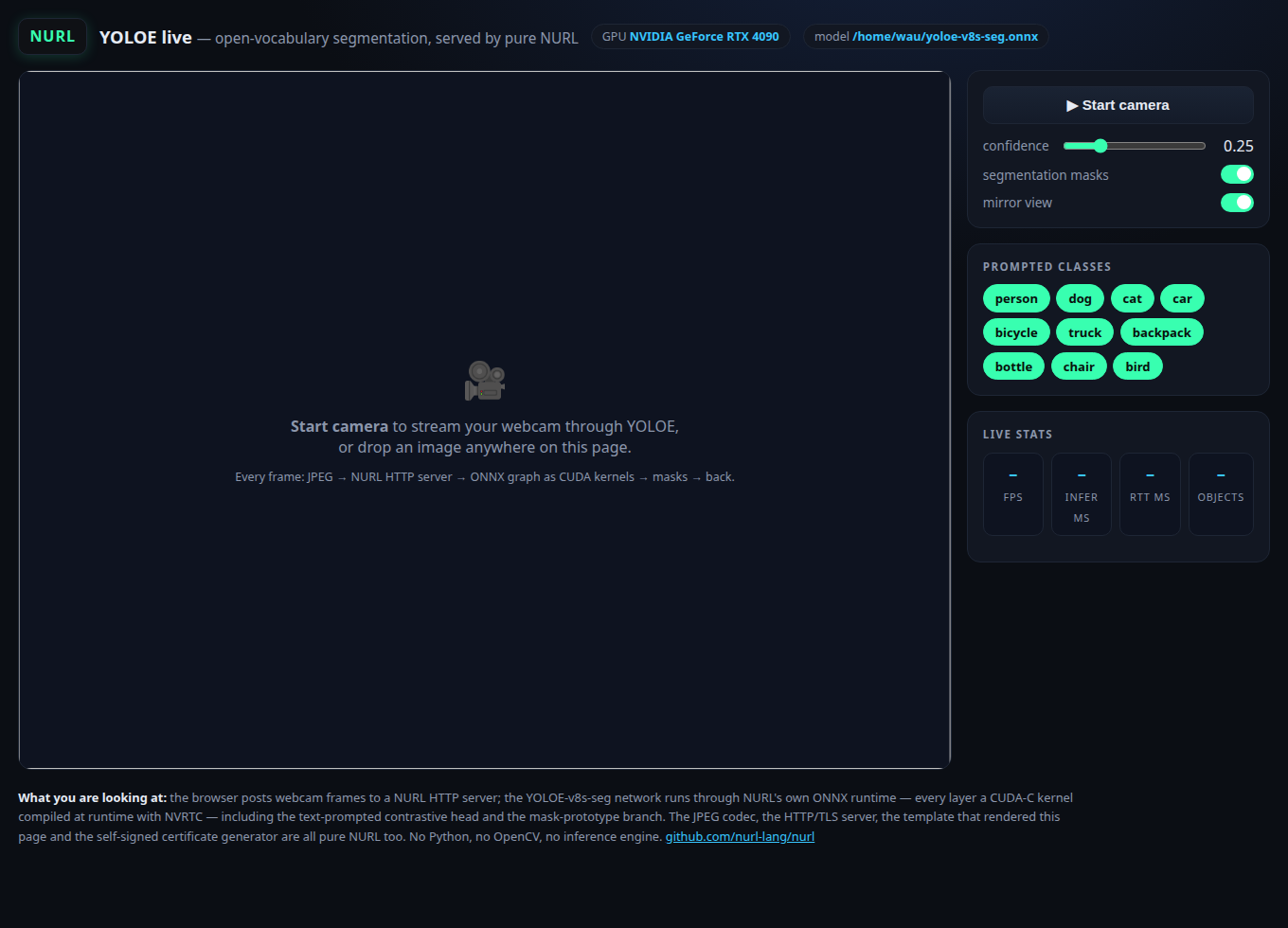
0.3.7 · 2026-10-22 · @Hindurable · files · api0.3.6 · 2026-10-16 · @Hindurable · files · api0.3.2 · 2026-10-10 · @Hindurable · files · api0.3.1 · 2026-10-08 · @Hindurable · files · api0.3.0 · 2026-10-03 · @Hindurable · files · api0.2.9 · 2026-09-16 · @Hindurable · files · api0.2.8 · 2026-08-31 · @Hindurable · files · api0.2.7 · 2026-08-28 · @Hindurable · files · api0.2.6 · 2026-08-16 · @Hindurable · files · api0.2.5 · 2026-07-26 · @Hindurable · files · api0.2.4 · 2026-07-20 · @Hindurable · files · api0.2.3 · 2026-07-08 · @Hindurable · files · api0.2.2 · 2026-07-07 · @Hindurable · files · api0.2.1 · 2026-07-07 · @Hindurable · files · api0.2.0 · 2026-07-07 · @Hindurable · files · api0.1.0 · 2026-07-07 · @Hindurable · files · apiOpen a web page, start your webcam, and watch open-vocabulary object detection + instance segmentation stream back at you in real time — with no Python, no OpenCV, no inference engine and no web framework anywhere in the stack.
Every frame makes this round trip:
browser webcam ── JPEG POST ──▶ http package        pure-NURL HTTP/TLS server
                                image package       JPEG decode (pure NURL)
                                onnx package        YOLOE-v8s-seg, every layer a
                                                    CUDA-C kernel via NVRTC
                                yoloe package       decode + NMS + mask branch,
                                                    masks composited on the frame
                                image package       JPEG encode
               ◀── JSON + jpeg ─┘                   boxes/labels drawn in-browser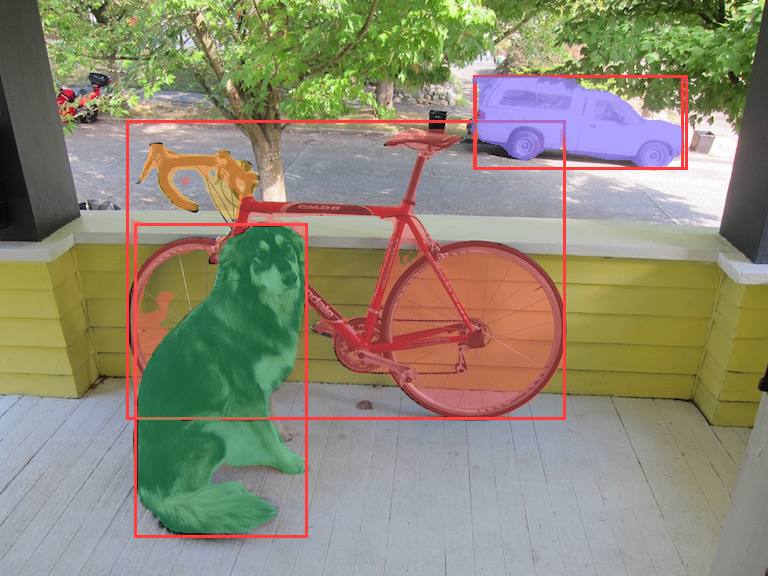
The page itself is rendered by the template package, and --tls mints a self-signed P-256 certificate at startup with std/x509_gen — pure NURL from the TCP socket to the mask pixels.
You need the YOLOE-seg ONNX export + its prompt vocabulary (see packages/yoloe — tools/export.py produces both) and an NVIDIA GPU with the driver + NVRTC installed.
cd packages/yoloe-demo
# in a repo checkout, link the sibling packages once (nurlpkg install does
# the same from nurl.toml for registry installs):
mkdir -p deps && for d in yoloe http template image onnx gpu; do ln -sfn ../../$d deps/$d; done
../../nurl.sh src/main.nu demo
./demo --model ~/yoloe-v8s-seg.onnx --classes ~/yoloe-classes.txt
# → serving http://0.0.0.0:8090
Open http://localhost:8090, press Start camera, done.
To use it from a phone or another machine on the LAN, browsers require a secure origin for the camera — start with --tls and accept the self-signed-certificate warning:
./demo --model ... --classes ... --tls
# → serving https://0.0.0.0:8090| Flag | Default | |
|---|---|---|
--model FILE | (required) | YOLOE-seg .onnx export |
--classes FILE | (required) | prompt vocabulary, one class per line (must match the export) |
--port N / --host A | 8090 / 0.0.0.0 | listen address |
--gpu N | 0 | CUDA device ordinal |
--tls | off | HTTPS with a fresh self-signed cert |
--page FILE | views/index.html | the demo page template |
With the promptable export, the vocabulary is no longer baked in: type anything — coffee mug, red car, a person waving — press Enter (or comma, or Add), and the server tokenizes the text with the CLIP BPE (pure NURL), runs the MobileCLIP text encoder on the GPU through the same onnx runtime (~65 ms), writes the embedding into a free prompt slot, and the very next frame detects it. New chips toggle like the seed ones. The K=32-slot graph keeps unused slots inert (zero embeddings).
# one-time exports (torch + ultralytics + onnxsim in a venv; see tools/)
python tools/export_promptable.py ~/yoloe-export
python tools/export_text_encoder.py ~/yoloe-export

./demo --model ~/yoloe-export/yoloe-promptable-k32.onnx \
       --classes ~/yoloe-classes.txt \
       --text-encoder ~/yoloe-export/text_encoder_n1.onnx
The CLIP BPE merge table and the demo page template are built into the binary (generated into yoloe/src/clip_merges_data.nu and src/index_html_data.nu by yoloe/tools/embed_merges.py / tools/embed_page.py), so an installed yoloe-demo needs no asset files on disk. --merges FILE / --page FILE override them.
POST /prompt (body = the prompt text) → { id, name, n }; 400 on an empty prompt, 409 when all 32 slots are used. The decode argmaxes only over enabled classes, so a custom prompt isn't shadowed by a disabled seed class of the same object (a dog 0.63 vs dog 0.88).
Both graphs are verified against onnxruntime: the text encoder to ~4e-7 per embedding, the K=32 detector to PROMPTABLE FORWARD MATCH on packages/yoloe/tests/fwd2.nu.
image** on the page to run a single frame without a camera.
are shown (server-side filter), and with --text-encoder a free-text input adds new ones live.
count, and a per-detection list.
?auto=1 starts the camera on load (kiosk mode).POST /detect with a JPEG/PNG body. Query: conf= (0..1, default 0.25), masks= (default 1), on= (comma-separated class ids; absent = all). Response:
{ "ms": 108, "n": 2,
  "dets": [ { "n": "dog", "s": 0.88, "c": 1, "k": 0,
              "x": 138, "y": 227, "w": 167, "h": 306 } ],
  "img": "data:image/jpeg;base64,..." }
k is the instance colour index (the page's box palette matches the server's mask palette). GET /health answers ok.
The demo runs the entire network in the browser tab as an alternative to the server round-trip — the same pure-NURL onnx runtime, compiled to wasm32-wasi with the gpu package's kernels precompiled and linked in (no NVRTC, no server GPU). When web/yoloe_detect.wasm is present the page shows a compute: server · GPU / this browser · wasm selector; switch to wasm and the frames never leave the machine.
webcam → canvas → SharedArrayBuffer → web worker
   → yoloe_detect.wasm (pure-NURL onnx runtime, static CPU kernels)
   → masked RGB + detections → canvas
The compute selector offers two client-side engines:
(-msimd128), ~20 s/frame at 640×640. Correctness/portability path.
a WGSL compute shader (packages/gpu backend 3) on the browser GPU: ~1.1 s/frame, ~20× faster than the CPU path and matching the server GPU / onnxruntime within tolerance. This is the whole network running on your GPU with no server round-trip.
The page shows which adapter the browser actually handed over. If it warns about a software adapter (SwiftShader), WebGPU is running on the CPU — expect wasm-CPU-class frame times (~20 s), not GPU ones. On Linux, Chrome does this by default: WebGPU falls back to SwiftShader unless the Vulkan backend is enabled. To run on the real GPU:
chrome://flags,#enable-vulkan) to Enabled,#enable-unsafe-webgpu) to Enabled,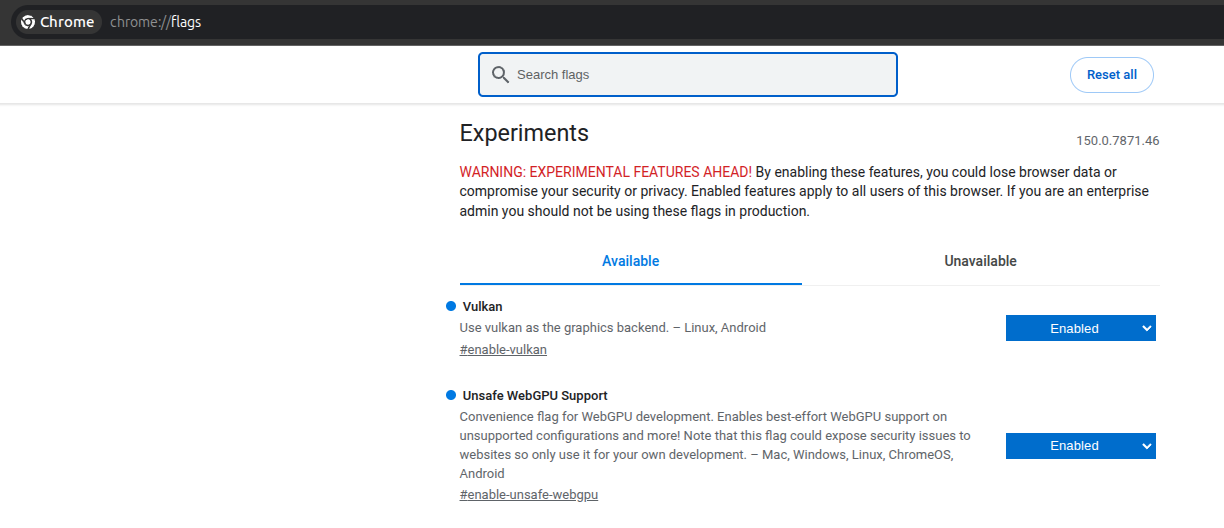
The flags apply to the whole browser (the second one is a development convenience flag — Chrome's own warning applies), so consider a separate profile if that bothers you. On Windows and macOS WebGPU uses the real GPU out of the box and none of this is needed.
Both share one module: wasm_detect.nu picks the backend at runtime (host_use_webgpu); web/worker.js supplies the WebGPU host (packages/gpu/web/webgpu.js) and drives the one async op — the GPU readback (GPUBuffer.mapAsync) — through Asyncify so the synchronous NURL gpu_download returns data in wasm memory.
Build it (one-time; needs a built ./build/nurlc, zig which wasmbuilder auto-provisions, and binaryen for the asyncify pass):
./tools/build_wasm.sh # → web/yoloe_detect.wasm (static CPU + WebGPU) + the JS hostAt runtime the page fetches the module, the detector .onnx (/wasm/model) and the current vocabulary embeddings (/tpe), spins up web/worker.js, and drives it over a SharedArrayBuffer — so the page is served with Cross-Origin-Opener-Policy: same-origin + Cross-Origin-Embedder-Policy: require-corp (browsers only expose SharedArrayBuffer on isolated pages). Free-text prompts work in wasm mode too: /prompt returns the embedding (encoded on the server GPU), the page pulls the new /tpe slot and feeds it to the worker, so both engines share one vocabulary.
The worker runs off the UI thread, so its host_frame import can block on Atomics.wait while the module loops. The WebGPU engine reaches ~1.1 s/frame on an RTX 4090 (every layer a WGSL compute shader); the wasm-CPU engine is ~20 s/frame on one core (-msimd128) — a correctness/portability fallback. Both match the server GPU / onnxruntime within the fwd2 tolerance (max abs err ~0.02).
On an RTX 4090 a 640×480 frame takes ~110 ms server-side (≈7–9 fps end-to-end in the browser) with masks on. The budget is dominated by the pure-NURL pixel stages (letterbox, JPEG codec), not the network — the GPU inference itself is a few milliseconds. Kernels compile once at startup (warmup line); the first frame is never slow.
The server is single-threaded on purpose: one GPU engine, sequential frames, no locking. RSS is flat under sustained load (see the test).
./tests/demo_test.sh builds the server, starts it against the real model, and drives /detect the way the browser does: baseline detections on a known image, on= class filtering, conf= gating, masks toggle, garbage-body → 400, and a 60-frame sustained run with an RSS leak watch. Skips cleanly (exit 0) when no model or GPU is available, so CI stays green. When web/yoloe_detect.wasm + node are present it also drives the real web/worker.js in a node worker thread (tests/wasm_worker_test.mjs) and checks the dog is detected and its mask composited into the returned frame.
WebGPU backend (packages/gpu backend 3 — the onnx kernels as WGSL compute shaders). The WGSL set is checked against the onnx executor's kernel census (packages/onnx/tests/wgsl_census_test.nu) and every kernel is run on a real WebGPU device (packages/gpu/tests/webgpu_test.sh); the full detector forward and the shipped web/worker.js are verified via Deno Workers (tests/webgpu_worker_test.mjs, exercised by demo_test.sh).
--model export the vocabulary is baked at exporttime; the promptable K=32 export + --text-encoder (see above) lifts that at runtime.